A mood journal with four little characters
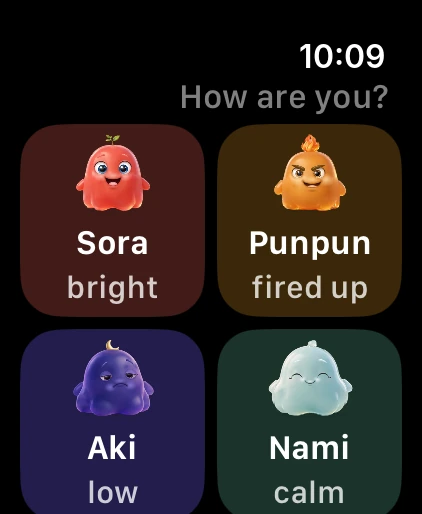
Sora, Punpun, Aki and Nami each stand for a way a day can feel. Pick the one that feels like today. Ten seconds, and you’re done.
Free to log, forever. No account, no free trial tricks. For iPhone, iPad and Apple Watch.
Ten seconds, start to finish.
Two taps make a full entry. Everything after that is there if you want it and skippable if you don’t.
- seconds to log
- taps make a full entry
- seconds on your wrist
Pick your humor
Which one feels like today? Tap a mascot.
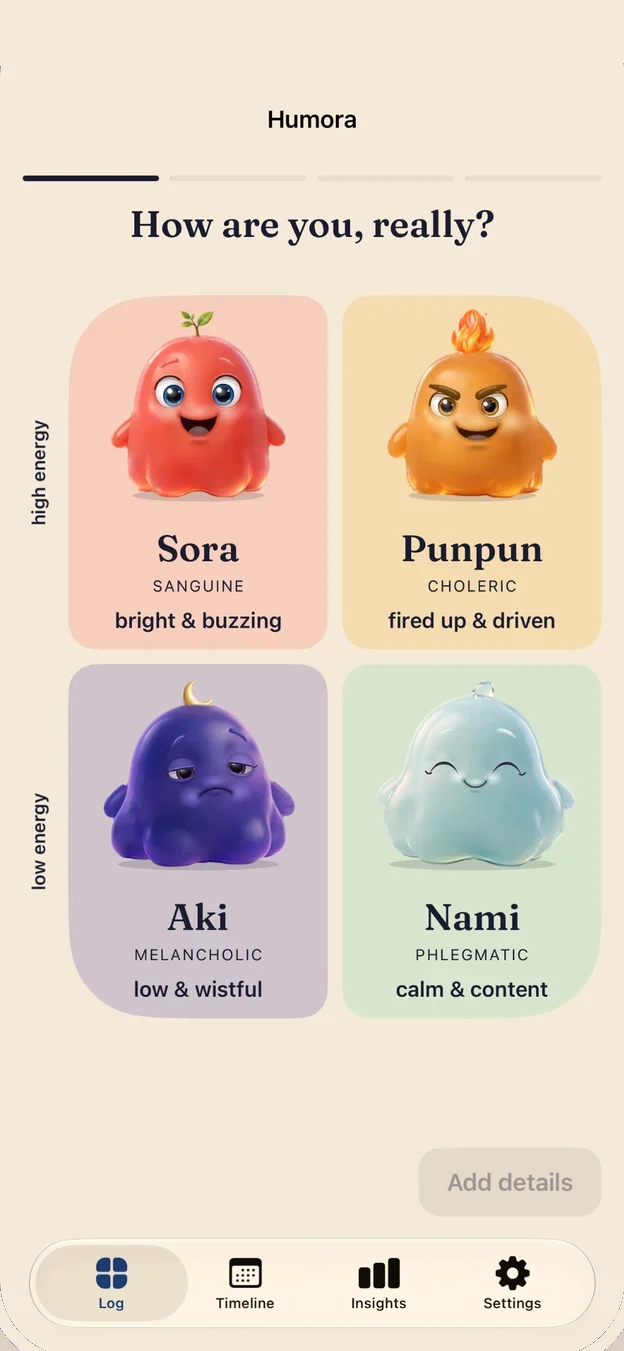
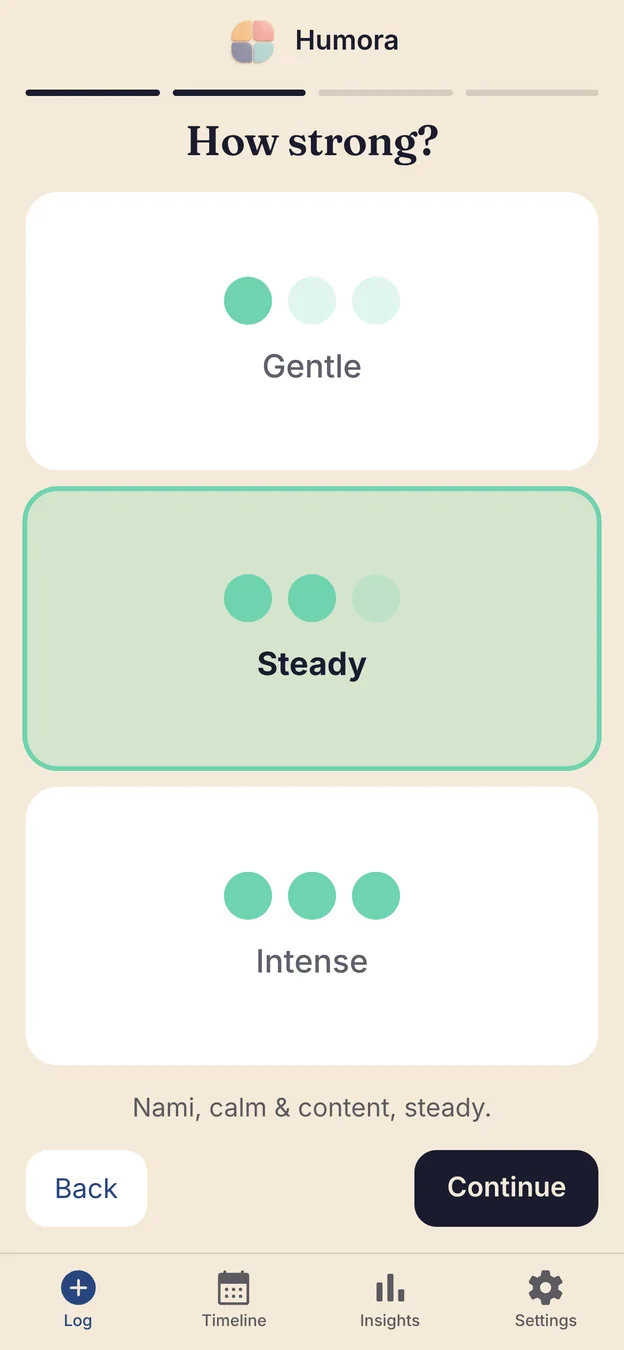
Set how strong
Gentle, steady or intense.
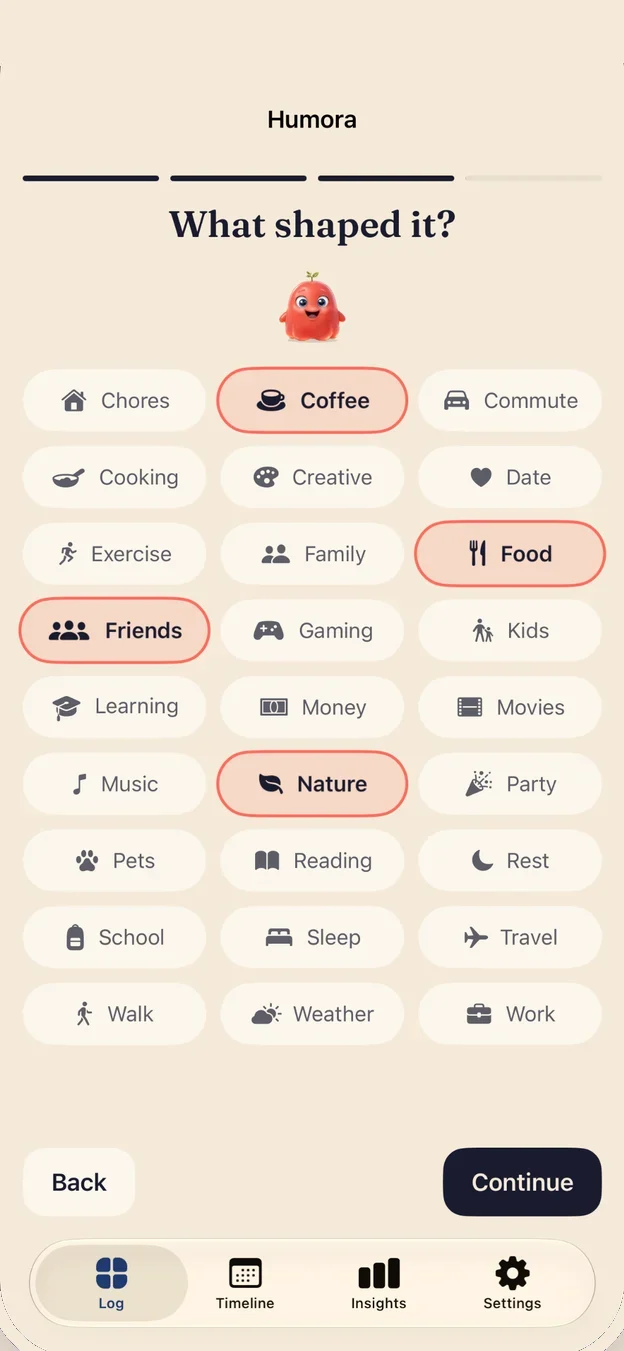
Tag your day
A walk, a coffee, a friend. Add a note, or don’t.
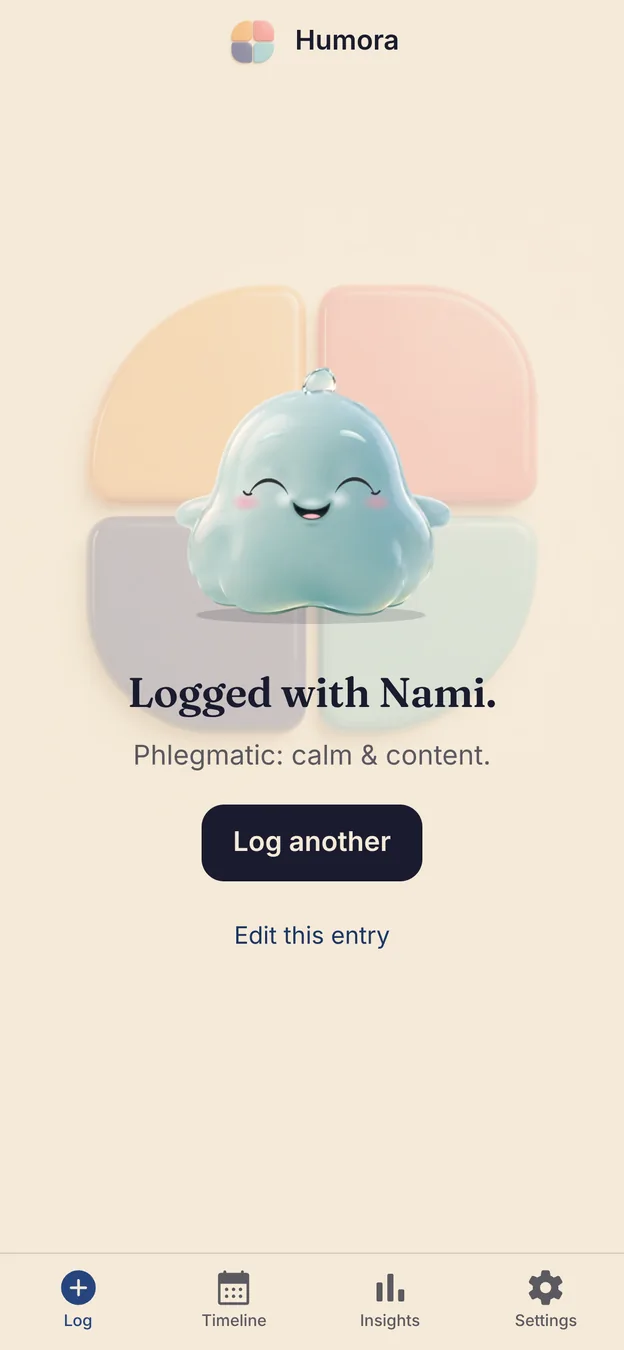
Logged
Your mascot shows up to say so. Give it a tap.
Four humors. Every mood you’ve ever had lives in one of them.
Two plain questions sort them out: how much energy do you have, and does it feel good or hard?
Sora
means “sky”
Sanguine
bright & buzzing
High energy, feeling good. Sociable, optimistic, alive.
Punpun
means “huffy”
Choleric
fired up & driven
High energy, feeling rough. Driven, irritable, unstoppable.
Aki
means “autumn”
Melancholic
low & wistful
Low energy, feeling rough. Reflective, wistful, honest.
Nami
means “wave”
Phlegmatic
calm & content
Low energy, feeling good. Calm, steady, at peace.
The idea is about years old. The medicine didn’t survive. The poetry did.
Small app. Does a lot.
A year in pixels
One square per day, in the color of the humor that led it. Patterns show up without any math. A blank day is just a quiet square: no streak to keep up, nothing to lose.
days tracked
in this sample year
Sync only you can read
Entries are sealed on your iPhone before they leave it, then travel through your own iCloud to your other devices. In between, they are scrambled data nobody else can open.
seconds on your wrist
Raise your Apple Watch, tap a mascot, tap how strong. That’s a log.
Your entries stay yours
Settings has an export that saves every entry as one CSV file you can open anywhere. Free, any time, no account.
Reminders that never nag
One gentle nudge a day at most, at the time you choose. Low on energy? Switch on a rest day and it skips today. A missed day is just a missed day.
How was today, really?
Aki saved you a quiet moment to check in.
Widgets for your Home Screen
Today’s humor, the week in seven squares, and how many of the last seven days you checked in. All three are free.
Just say it
Siri can log for you, or tell you how your day is trending.
Humora Pro
Know yourself.
Seven ways to read your own journal. Humora counts what you logged and shows you where it leans. Each one says it in a plain sentence and ends with a next step. No questionnaires, no scores, no verdicts, and all of it is worked out on your iPhone.
-
What goes with your moods
Tag what you were doing. Humora compares the days with a tag against the days without it, and shows what happened together, not why.
You log Sora 40% more often on days you tag exercise.
After 14 logged days
-
Lasting shifts
A change has to hold for two weeks or more before Humora mentions it. One rough week never sets it off.
Your average energy has trended up for 3 weeks.
After six weeks of history
-
Your rhythms
How your moods fall across the week, the time of day and the year, and how this week compares with the same week last year.
Sundays skew Nami. Evenings lean Aki.
From 20 entries
-
In your words
The words and themes that keep coming up in your notes, and whether their tone is warming or cooling. Analyzed on your iPhone. Never sent to us or anyone else.
“work” comes up in 5 notes, mostly with Punpun.
After 10 notes
-
Goals
Pick something you would like more of. Humora keeps count and shows what tends to go with it. A goal is just something to notice. There is nothing to fail.
2 of 3 Nami days this week.
From your first log
-
Year in Review
One card for your year: the humor that led it, your fullest month and your strongest link. Share it as an image, or keep it to yourself.
Mostly Sora. 312 logs on 201 days.
After 14 logged days in your first year, 30 in later years
-
Shareable summary
A short PDF of your last 13 weeks. It is made on your iPhone and goes nowhere unless you share it.
Shareable summary. 62 logged days, 85 entries.
After 14 logged days
We show you patterns. You decide what they mean. Humora is a wellness journal and never names a condition. The colored lines are examples of how it words things, not anyone’s data. Each part opens once your journal has enough in it to back the sentence up, and until then it tells you how many more days it needs.
Our pricing promise
Logging is free. Forever means forever.
- Free stays free. Unlimited logging, the timeline, Year in Pixels, the Watch app and CSV export cost nothing, and that will not change.
- No free trial. You will never be charged because a trial ran out. The free version is the trial, and it never ends.
- The price on the button is the price. No countdowns, no crossed-out prices, no boxes ticked for you.
- Cancelling your subscription takes about 20 seconds. iPhone Settings, your Apple ID, Subscriptions, Humora Pro, Cancel. Your entries stay.
- Forever means forever. It is one payment. We never revoke it, convert it, or move it to a subscription.
Signed, Sora, Punpun, Aki and Nami.
Free
$0
- Unlimited logging
- The timeline and Year in Pixels
- The Apple Watch app
- Home Screen widgets
- CSV export
- Basic charts: your humor mix and the last 7 days
- Quiet mode, if you would rather not see the mascots
Pro
$2.99 a month
or $23.99 a year
Everything in Free, plus Know yourself:
- What goes with your moods
- Lasting shifts in energy and mood
- Your weekly, daily and yearly rhythms
- The words and themes in your notes
- Goals, with nothing to fail
- Year in Review
- A shareable summary
Also in Pro
- Custom themes and app icons
Forever
$79.99 once
Everything in Pro, permanently.
- All of Know yourself
- Themes and app icons
- One payment, never a subscription
Private by architecture.
Not a promise to behave. A design where there is nothing for us to see.
Your iPhone
Every entry is stored here first. The app works with no signal and no account.
Your iCloud
Sync is off until you turn it on. If you do, entries are sealed before they leave, and Apple stores entries it can’t read.
Your other devices
Only your devices hold the key that opens them again.
Data Not Collected
That is the App Store privacy label, and it is the plain truth.
No account
No sign-up, no email, no password. There is no Humora server to send your moods to.
No trackers
No analytics, and no third-party code watching what you tap.
Bring your history with you.
Already keeping a mood journal somewhere else? Your past entries can move in.
- Export your entries as a CSV file from your old app.
- Choose that file in Humora, under Settings.
- Check how your old moods map to the four humors, then import.
Original dates, activities and notes come along. Rows that can’t be read are skipped and counted, never guessed. Leaving is just as easy: export everything as a CSV any time.
Questions, answered plainly.
Is it free?
Yes. Logging is unlimited and free, along with the timeline, Year in Pixels, the Watch app, Home Screen widgets, CSV export and the basic charts. Pro adds Know yourself, plus custom themes and app icons.
Is there a free trial?
No, on purpose. Trials that quietly turn into paid subscriptions are the oldest trick in this category. The free version is the trial, and it never ends.
What does Forever mean?
One payment of $79.99 that unlocks Pro permanently. It is never revoked, converted, or moved to a subscription. If you ever ask Apple for a refund, you go back to the free version and keep every entry.
What is Know yourself?
The Pro part of the Insights tab. It looks across your whole journal and shows what goes with each mood, lasting shifts, your weekly and yearly rhythms, the words in your notes, goals, a year in review, and a short summary you can share. Each part opens once your journal has enough in it to back it up. All of it runs on your iPhone.
Is Humora a medical app?
No. Humora is a wellness journal. It shows patterns in what you logged and leaves the meaning to you. It has no questionnaires and it never names a condition. The shareable summary is your own journal in a short PDF, and who sees it is up to you.
Is my data private?
Your entries are stored on your iPhone. Sync is off until you turn it on. If you do, entries sync through iCloud end-to-end encrypted, which means they are sealed on your device and Apple stores entries it can’t read. There is no Humora account and no Humora server. The App Store privacy label is Data Not Collected.
Do I have to use the mascots?
No. Quiet mode, in Settings, hides the mascot pictures and animations and keeps reminders in plain words. Sora, Punpun, Aki and Nami stay as the names of the four humors, because your charts are labelled with them.
Will it nag me or make me keep a streak?
No. Humora has no streaks. You get one reminder a day at most, only if you turn it on, and a rest day switch skips it. A blank day is just a blank day.
Which devices does it work on?
iPhone and iPad, with iOS 17 or iPadOS 17 or later, and Apple Watch with watchOS 10 or later. If you turn sync on, entries move between your own devices through iCloud.
Can I get my data out?
Any time. Settings has an export that saves every entry as a CSV file you can open anywhere.
How was today, really?
Ten seconds. Four little humors. No wrong answers.
Questions or ideas? Email support@humoraapp.com.